Video Meeting and Scheduling Platform
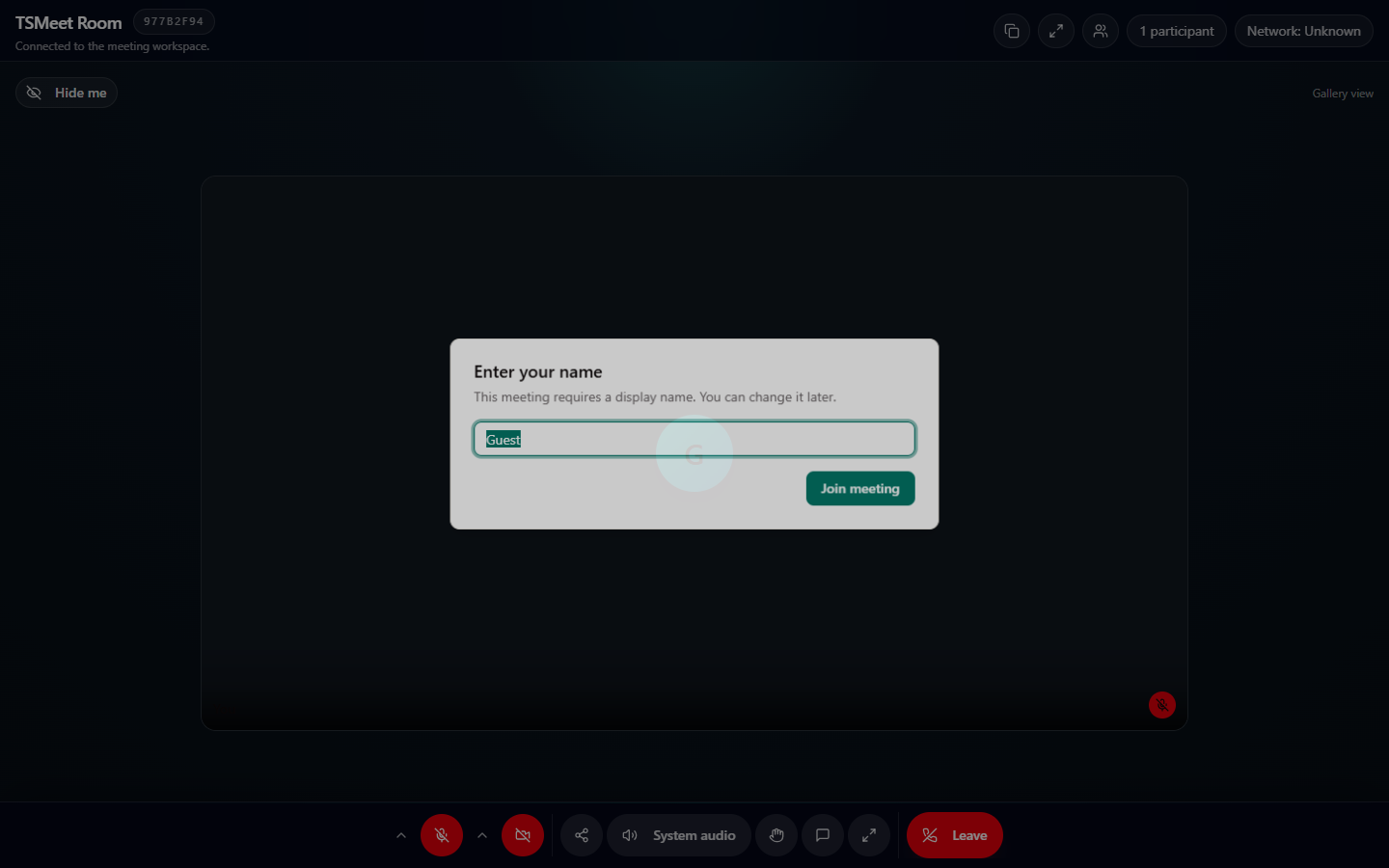
TSMeet — Open-Source Video Meeting and Scheduling Platform
TSMeet is a self-hosted, browser-based video meeting and scheduling platform. It combines real-time WebRTC communication, meeting-room management, public booking pages, and recording workflows in one application.
Users can create instant meeting rooms, invite guests with a shareable link, or publish a calendar so others can reserve an available time slot. Guests can join from a modern web browser without installing additional meeting software.
Key Features
- Real-time audio and video meetings using WebRTC
- Peer-to-peer connection signaling through Socket.IO
- Screen sharing and camera/microphone controls
- In-meeting text chat
- Virtual backgrounds and background blur using MediaPipe Selfie Segmentation
- Password-protected rooms and host-managed waiting rooms
- Host and co-host moderation controls
- Participant mute, video, and raised-hand controls
- Shareable meeting links and guest access
- Personal, event, and round-robin calendars
- Public scheduling pages with configurable availability
- Holiday, disabled-slot, booking-window, capacity, and daily-limit management
- Automatic meeting-link generation for confirmed bookings
- Booking management and cancellation workflows
- Recorder-worker based meeting recording with start, pause, resume, and stop controls
- Recording archive for viewing and managing completed meeting files
- REST APIs for authentication, rooms, calendars, bookings, and recordings
- Responsive dashboard for meetings, schedules, and recordings
Technical Implementation
The frontend is built with Next.js, React, TypeScript, and Tailwind CSS. The meeting interface uses WebRTC and simple-peer for direct media connections, while Socket.IO handles signaling, room events, chat, waiting-room decisions, and moderation events in real time.
The backend uses Node.js and Express with a MySQL database. Authentication is implemented with JWT, and passwords are hashed with bcrypt. Protected REST endpoints and authenticated Socket.IO handshakes provide access control for registered users, while public calendar and guest-meeting routes support invitation-based participation.
Meeting recordings are coordinated through dedicated recording sessions and a separate recorder worker. This keeps recording lifecycle management on the server side and provides archived recording metadata and files through the dashboard and API.
My Contributions
- Designed and implemented the responsive meeting and dashboard interfaces
- Built WebRTC audio, video, and screen-sharing workflows
- Implemented Socket.IO signaling and real-time room events
- Developed meeting creation, guest joining, waiting-room, and password flows
- Added host and co-host moderation features
- Built calendar availability, public booking, and meeting-link workflows
- Implemented JWT authentication and protected REST APIs
- Integrated MySQL persistence for users, rooms, calendars, bookings, and recordings
- Developed recorder-session management and the recording archive interface
- Documented local setup, architecture, APIs, and self-hosting requirements
Technology Stack
- Next.js 16
- React 19
- TypeScript
- Node.js
- Express
- WebRTC
- Simple Peer
- Socket.IO
- MySQL
- JWT and bcrypt
- Tailwind CSS 4
- MediaPipe Selfie Segmentation
- Playwright-based recorder worker
- REST APIs
Architecture
- Web application: Next.js frontend for authentication, dashboards, scheduling, and meeting rooms
- API and signaling server: Express REST API and Socket.IO server for application data and real-time coordination
- Media layer: WebRTC peer connections for live audio, video, and screen sharing
- Data layer: MySQL persistence with parameterized database queries
- Recording layer: Dedicated recorder worker with recording-session tracking and archived artifacts
Security
- WebRTC media is encrypted in transit using the protocol's standard DTLS-SRTP security
- JWT authentication protects private API routes and authenticated socket connections
- User passwords are stored as bcrypt hashes
- Meeting rooms support password protection and host approval
- Parameterized database queries reduce SQL-injection risk
- Self-hosting gives administrators control over application and recording data
Outcome
TSMeet demonstrates a complete real-time collaboration workflow: users can create an account, launch or schedule a meeting, invite participants, manage the live session, and access recorded meeting output from a unified dashboard. Its self-hosted architecture also provides a practical foundation for extending the platform with TURN infrastructure, alternative media topologies, and additional integrations.